.png?imageMogr2/format/webp)
.png?imageMogr2/format/webp)
.png?imageMogr2/format/webp)
.png?imageMogr2/format/webp)
.png?imageMogr2/format/webp)
.png?imageMogr2/format/webp)
.png?imageMogr2/format/webp)
.png?imageMogr2/format/webp)
.png?imageMogr2/format/webp)
.png?imageMogr2/format/webp)
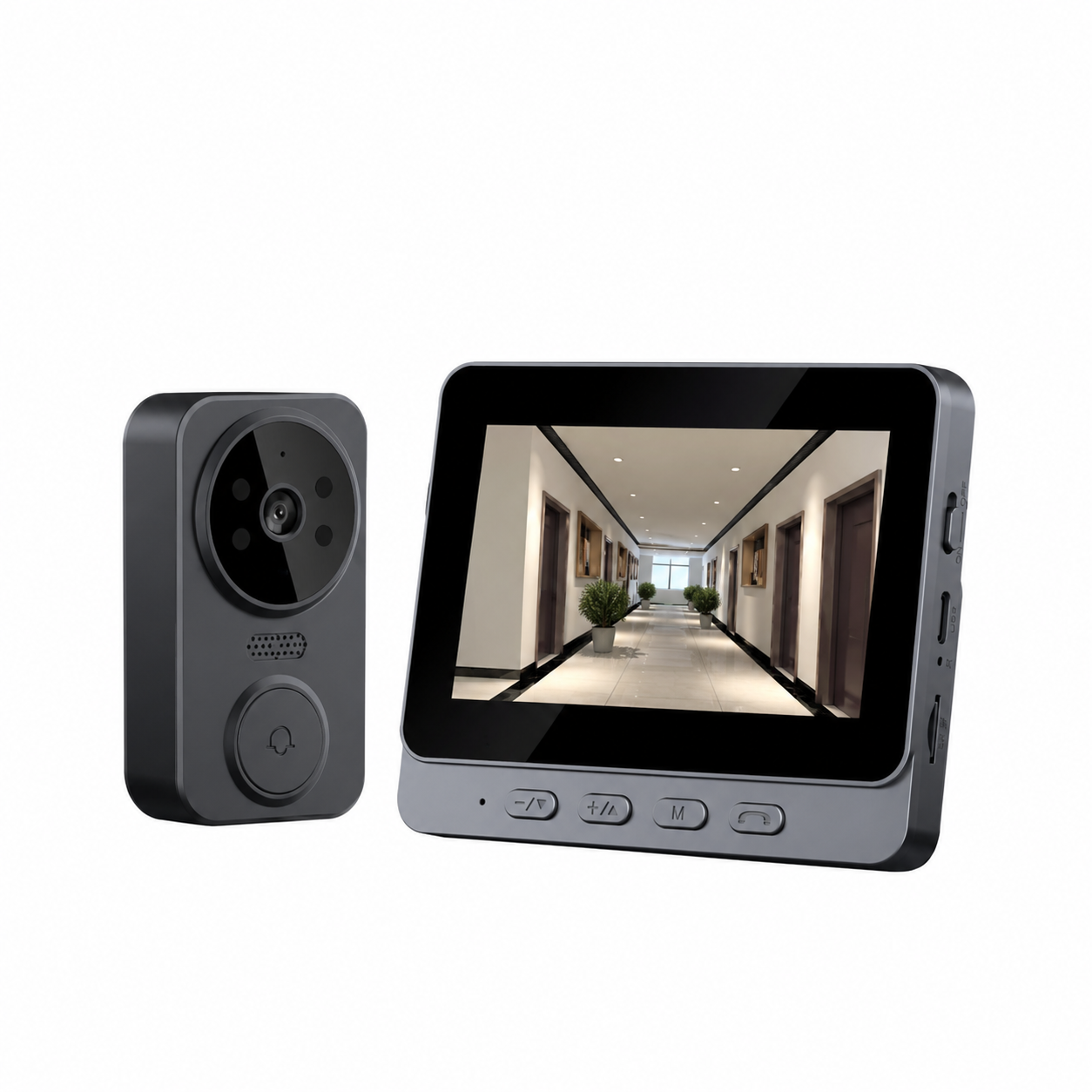
A no wifi video doorbell with an indoor monitor gives your product line a doorbell that works without a home router, without cloud fees and without depending on someone else’s network. For a brand, the value is not one clever feature — it is a configuration that fits a specific market and price position.
It is written for brand owners, wholesale buyers and importers comparing platforms and customization scope before placing a project.
Why No-WiFi Doorbells Matter for Product Brands
Most consumer doorbells sold today are presented as app-driven products: they need a router, an account and a cloud service. That model works in some markets, but it also creates requirements not every buyer wants to inherit: a stable network, a phone that stays logged in, and a support load that starts with “why is my doorbell offline?”.
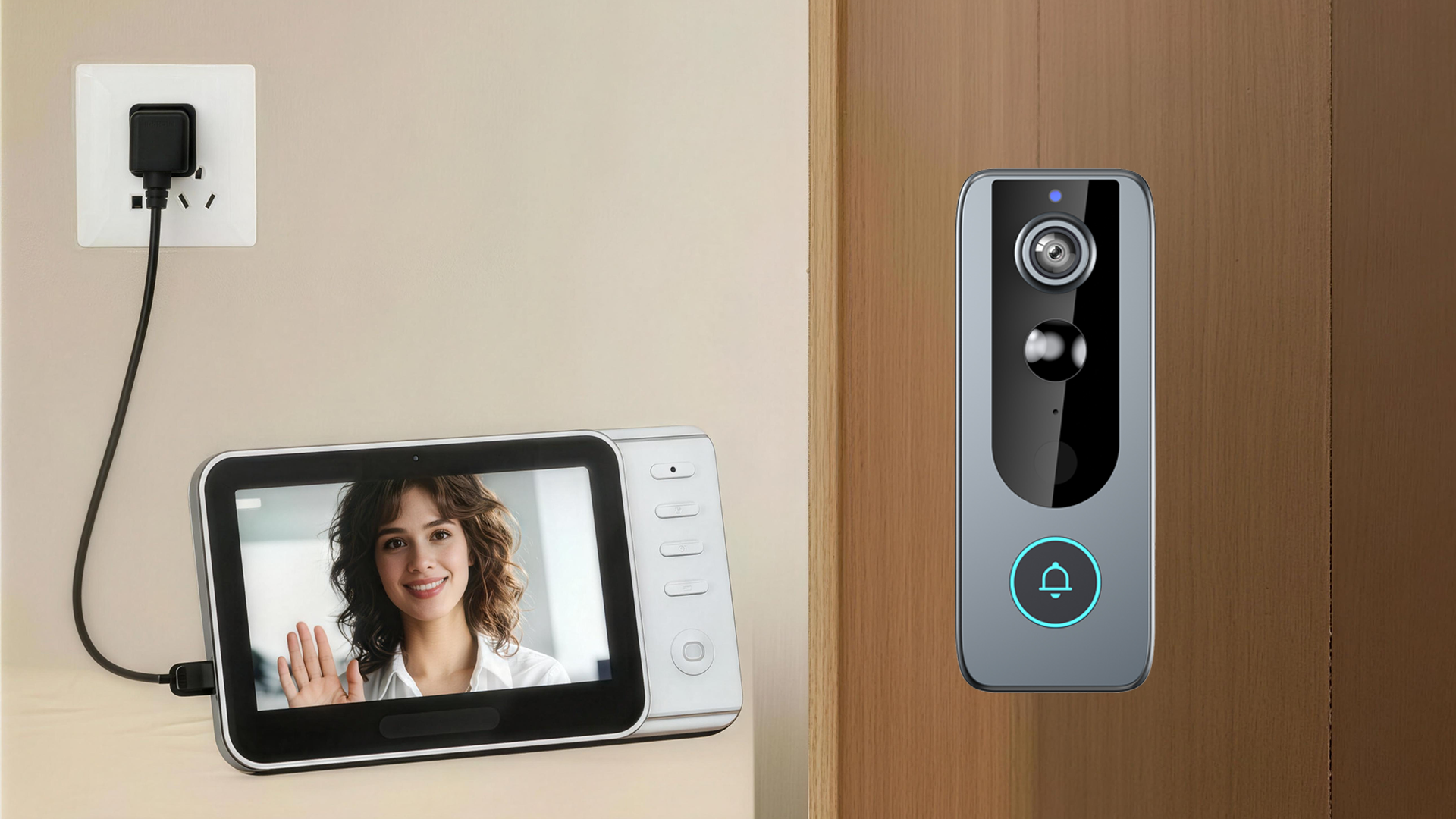
A no wifi doorbell takes a different route: the outdoor camera unit and the indoor monitor communicate directly with each other, so the system keeps working when there is no internet connection. For residents that means instant viewing on a screen in the home instead of a phone notification; for a brand it means a product that can be sold where Wi-Fi is weak, shared or simply not expected.
There is a commercial reason too: the real cost of a program sits in the whole system — outdoor unit, indoor monitor, power approach, storage, packaging and documentation — not in the unit price.
That is why a no wifi video doorbell is best evaluated as one complete system rather than as a camera with an accessory — and that is the order this guide follows.
Explore No-WiFi Video Doorbell Solutions
See the full smart doorbell range — indoor monitor models, Wi-Fi platforms and accessory options — and check which configuration matches your market.
Browse Smart DoorbellsWhat Is a No-WiFi Video Doorbell With Indoor Monitor?
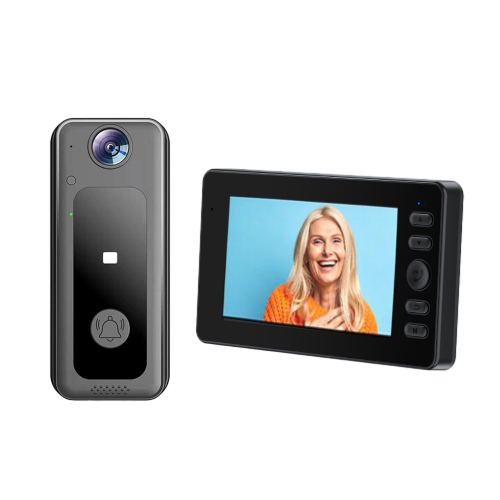
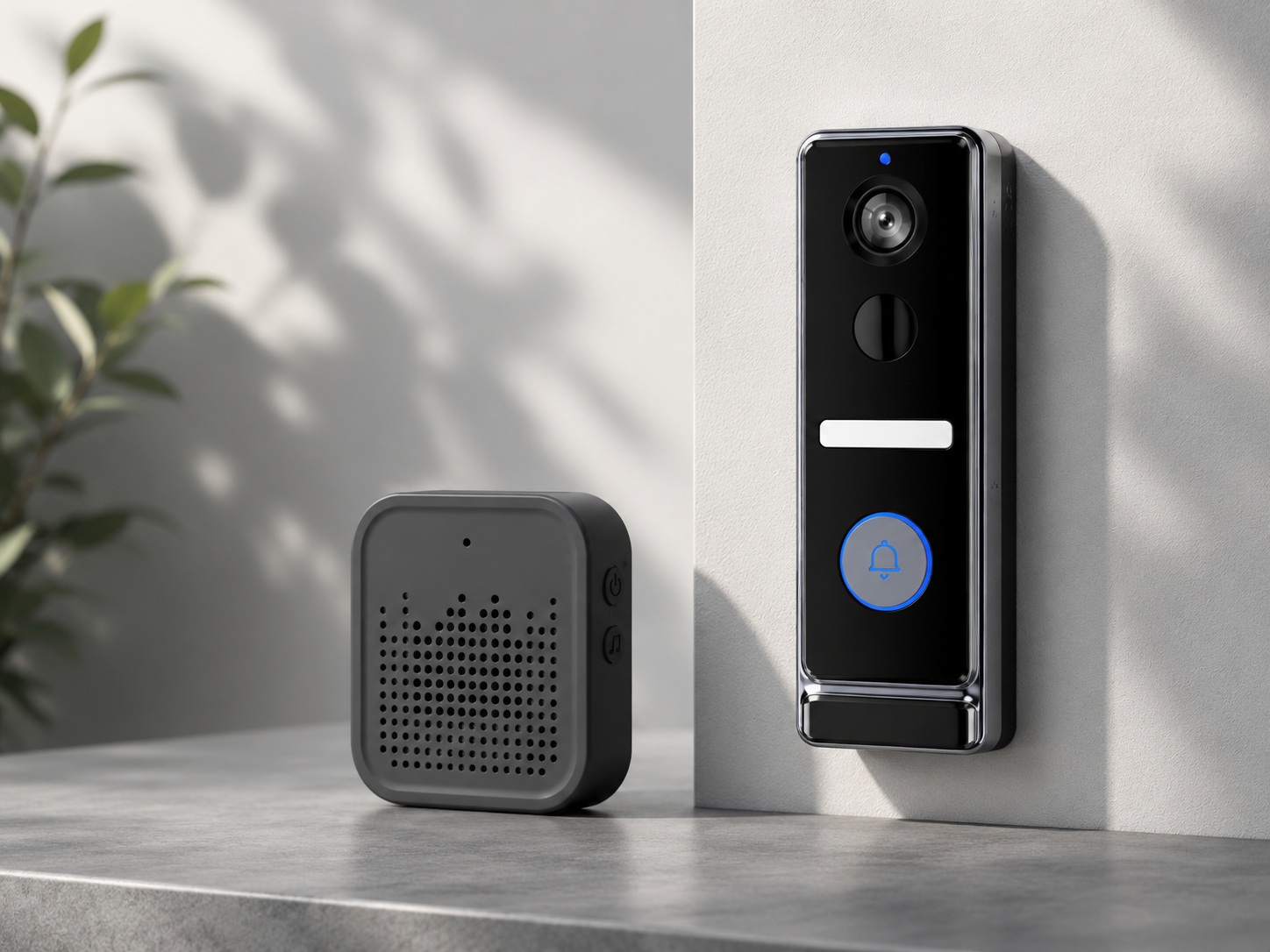
A video doorbell with indoor monitor is made of two parts that pair with each other. The outdoor unit sits at the door with the camera, motion sensor, button, microphone and speaker; the indoor unit is a screen that stays inside the home. The two hold a direct wireless link, so pressing the button rings the monitor and shows a live picture there — no router, no account, no app required.
Our M10 is a straightforward example: a direct 2.4G connection between the outdoor unit and the indoor monitor, an 85° sensor with infrared night vision, and a 4.3-inch IPS screen on the indoor unit. Published figures are 1–120 meters in open areas and 1–3 months of standby from an 800mAh outdoor battery, while the monitor is powered continuously through USB at DC 5V/2A. Recording is local: insert a TF card (up to 128GB) and the system saves photos and video in MJPEG format.
.png?imageMogr2/format/webp&imageMogr2/format/webp)
One clarification worth putting in every product listing: “No WiFi” means the system does not depend on a Wi-Fi router or an internet connection. It does not mean the units use no wireless protocol — they still communicate over their own 2.4G link. Buyers who understand that distinction ask better questions.
No-WiFi vs Wi-Fi: Which Solution Fits Your Brand?
Neither architecture wins in every market. The right choice depends on where the product is installed, what the customer expects to do with it, and what your channel can support after the sale.
| Consideration | No-WiFi Video Doorbell | Wi-Fi Video Doorbell |
|---|---|---|
| Device connection | Direct wireless link between outdoor unit and indoor monitor (for example 2.4G device-to-device) | Usually connects through the home Wi-Fi network and an account |
| How visitors are viewed indoors | On the dedicated indoor monitor screen | Through a mobile app, and on some models an indoor unit as well |
| Network dependency | Operates without a Wi-Fi router or internet connection | Requires network access; remote viewing depends on it |
| Cloud features | Depends on the design; local card recording is typical | Depends on the product and the service platform behind it |
| Typical fit | Projects that need a dedicated indoor screen and privacy-first operation | Projects that need remote access from anywhere |
| Sourcing focus | Transmission range, monitor specification, battery and standby, installation | Network compatibility, app quality, cloud service and data handling |
Some brands carry both directions: a no-WiFi system as the dependable, privacy-led line, and a connected platform for remote access. Our TUYA-based Wi-Fi doorbell is an example of the connected route, while the indoor-monitor models here cover the standalone route. Deciding that split early keeps packaging, manuals and after-sales scripts consistent.
Compare Available Doorbell Models
Indoor-monitor and Wi-Fi platforms sit side by side in our product list. Review the models and note which fit the price band and installation type of your market.
View All ProductsKey Features Buyers Should Evaluate
Five parameters carry most of the weight in a no wifi doorbell program, and they decide how the product is described on the box, in the manual and in channel listings.
Indoor Monitor Size and Display Quality
In a video doorbell with indoor monitor, the monitor is what a customer looks at every day, making it the strongest visual selling point in this category. Our no-WiFi indoor-monitor models use a 4.3-inch IPS screen, sized for a shelf, a hallway table or a wall bracket without dominating the room.
Two practical points matter. First, power: on M10, M10C and M12 the indoor monitor carries an internal 400mAh battery and requires continuous USB power at DC 5V/2A, so it needs a permanent power point where the screen will live. Second, brightness — IPS panels hold colour and viewing angles steadier than basic LCD alternatives.
Wireless Transmission Distance
For a wireless video doorbell with monitor, the published range figure comes from open-area testing: M10, M10C and M12 are specified at 1–120 meters, describing an unobstructed line between the units. A real installation rarely looks like that test: walls, floors, reinforced concrete, metal doors and crowded 2.4G environments all reduce the usable distance.
Treat the figure as a ceiling rather than a promise and test the configuration in the environment your customers live in. For multi-storey houses or thick masonry walls, a range test early in the project is cheaper than a field complaint later.
Battery Capacity and Standby Time
Battery life is where the indoor-monitor range separates clearly, because the same platform is offered with different cells. M10 and M12 use an 800mAh outdoor battery with 1–3 months standby per charge; M10C uses dual 18650 cells totalling 4000mAh with 3–6 months standby.
The useful question is not which number is bigger but which trade-off your market accepts. Longer standby suits apartments and rentals where residents will not remember to charge a device. It also changes the box: battery configuration, charging accessories and manual instructions must reflect the SKU.
Standby figures are model-specific and depend on traffic and settings.
Two-Way Audio and Visitor Communication
Every indoor-monitor model in our range carries a built-in speaker and microphone, so the resident can answer the door without opening it. Audio is worth validating: test clarity at the realistic mounting height of the outdoor unit and at the distance the monitor will sit in a typical home, and check whether your market needs a documented volume control.
Audio also has a marketing dimension: “talk to visitors without opening the door” is easier for a distributor to repeat than a list of wireless parameters.
Local Storage and Recording
Local recording keeps the system independent of subscriptions. Our indoor-monitor models record to a TF card with a maximum capacity of 128GB in MJPEG format, and capture begins once a card is inserted. There is no cloud dependency or recurring fee for basic recording.
When you specify a card size, work from the real file footprint rather than the headline capacity, and document in the manual whether the camera records every event or only when someone rings.
Which Configuration Fits Which Application?
Planning a video doorbell system for brands means accepting that the same platform serves very different customers. Read the table as a set of “application need → configuration → sourcing consideration” chains, then match your range to the rows that describe your channel.
| Buyer Type | Configuration Focus | Sourcing Consideration |
|---|---|---|
| Residential security brands | Monitor screen, transmission range, two-way audio, appearance | Consistent finishes across a range and clear performance claims |
| Home improvement distributors | Installation steps, packaging, power and charging approach | Manual quality and accessory completeness at the point of sale |
| Smart home retailers | Feature set, out-of-box experience, brand presentation | Demo-friendliness and a story the sales floor can tell in one minute |
| Private-label doorbell brands | Platform choice, packaging, samples, customization path | How far customization can go on the specific model chosen |
| Multi-property applications | Coverage per property, installation environment, unit configuration | Repeatable configuration and documentation across many identical installs |
No single model is positioned as suitable for all five rows. A wholesale program for wireless video doorbell with monitor demand in multi-storey housing looks different from a private-label project that needs one distinctive SKU.
M10, M10C and M12 as Configuration Examples
Three models illustrate how the same architecture is positioned for different priorities. All three share the direct 2.4G link, the 4.3-inch IPS indoor monitor, infrared night vision, built-in two-way audio and TF card recording up to 128GB; the differences sit in battery capacity and standby expectation.
.jpg?imageMogr2/format/webp)
M10 — Standard Configuration
4.3-inch IPS indoor monitor, direct 2.4G link at 1–120 meters, 85° sensor with infrared night vision, two-way intercom, 800mAh outdoor battery with 1–3 months standby, TF card up to 128GB.
View the M10 product page.png?imageMogr2/format/webp)
M10C — Longer Standby
Same monitor and transmission platform, with dual 18650 cells totalling 4000mAh and a published standby of 3–6 months per charge — the configuration to quote when low maintenance decides.
View the M10C product page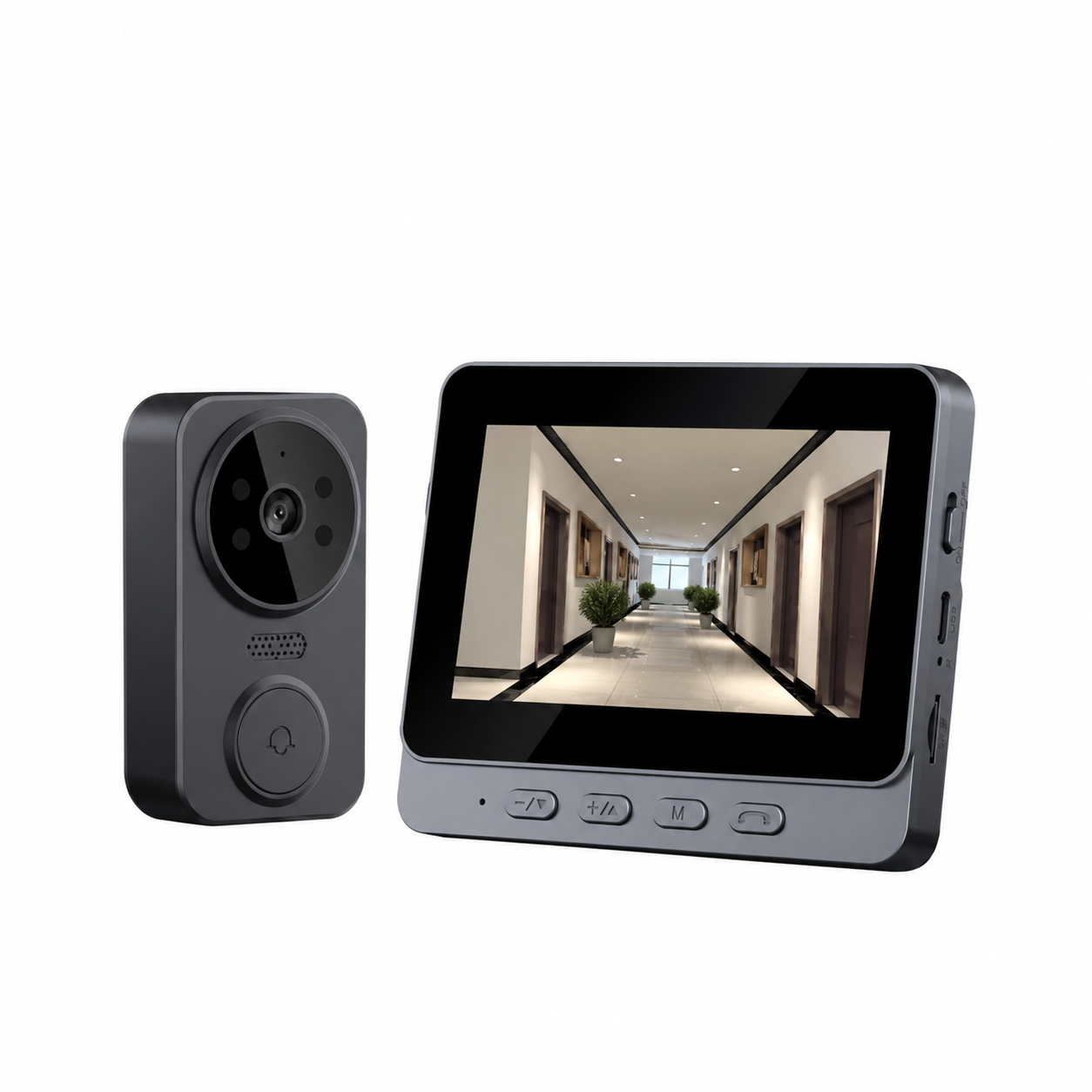
M12 — Alternative Format
A further indoor-monitor configuration for buyers who want a different housing and presentation in the same family. Confirm the current specification on the M12 page before it goes into a quotation.
View the M12 product pageWhat Brands Should Consider Before Committing
Once the model is shortlisted, the project moves from product questions to program questions. Seven items are worth settling in writing before packaging artwork or a production run:
- Configuration flexibility — can the parameters that matter in your market be adjusted on the platform you selected?
- Branding and packaging — logo, colour, packaging, app naming and manual language for the destination country.
- Samples — a physical unit tested for pairing, screen visibility, audio clarity and standby before you commit.
- OEM or ODM route — whether you are adopting an existing platform or developing a variant of your own.
- Compliance and documents — confirm which certificates apply to the exact model and whether the paperwork is available for your market.
- Commercial terms — order quantity, timeline, payment terms and inspection criteria agreed per project rather than assumed from a catalogue.
- After-sales path — who handles technical questions, spare parts and warranty cases once the goods are in your warehouse.
Compliance deserves attention because it is model-specific: a certificate issued for one configuration does not automatically transfer to a variant with a different battery, camera resolution or wireless module.
OEM and ODM Paths for Doorbell Brands
Customization is not one service with one price; it is a ladder. Our doorbell OEM and ODM services are organized into four levels, and the level you need depends on how much of the product definition you want to own.
Light Customization
Logo application and customized packaging on an established platform — the fastest route to your brand on the shelf.
Drawing-Based
Bring a technical drawing or CAD file and the design is implemented to your dimensions and tolerances.
Sample-Based
Send a physical sample or prototype and it is replicated or refined for production, including reverse-engineering support.
Full-Scale Customization
End-to-end development from concept research through hardware design and manufacturing — a complete ODM cycle.
These levels are not interchangeable across every model. What can be customized on a private label no wifi video doorbell program depends on the platform chosen, so scope is agreed per project rather than treated as a blanket promise.
Discuss Your Private-Label Doorbell Project
Are you looking for a no wifi video doorbell with an indoor monitor for your brand? Share your target market and customization needs with our OEM/ODM team.
Start Your OEM/ODM ProjectQuestions to Ask Before Choosing a Supplier
Use this list as a sourcing checklist for any no wifi video doorbell project. Answers should reference the specific model you intend to buy.
What is the wireless transmission method?
A direct 2.4G link between the outdoor unit and the indoor monitor, specified at 1–120 meters in open areas on M10, M10C and M12.
Does it need a Wi-Fi router?
No. They operate without a router or internet connection; the link is device-to-device.
What size is the indoor monitor?
M10, M10C and M12 use a 4.3-inch IPS display in the indoor unit, powered continuously via USB at DC 5V/2A.
What is the outdoor battery capacity?
800mAh with 1–3 months standby on M10 and M12; dual 18650 cells totalling 4000mAh with 3–6 months standby on M10C.
Which recording and storage options are available?
TF card recording up to 128GB in MJPEG format, with automatic capture once a card is inserted. No cloud subscription is needed for local recording.
Can it carry private-label branding?
Yes, through the OEM and ODM levels described above; scope is confirmed against the model you select.
What customization services are offered?
Four levels: light customization, drawing-based, sample-based and full-scale ODM development. See our OEM/ODM page for the service descriptions.
Can samples be provided?
Sample units can be arranged so you can test pairing, screen visibility, audio and standby before committing.
Which certifications apply to the model?
Certification depends on the exact configuration and destination market, so confirm the applicable documents for the selected model.
What technical support follows delivery?
Support covers installation and pairing questions, manuals, firmware guidance and warranty handling; confirm the process for your region.
“A no-WiFi doorbell is not a cheaper version of a connected doorbell. It is a different product decision — and the brands that treat it that way get a cleaner range and fewer returns.”
Request a No-WiFi Video Doorbell Quote
Tell us the market you are selling into, the installation environment and whether you need a standard platform or a customized program. Our team will come back with the models and configuration options that fit your requirement.
.jpg?imageMogr2/format/webp)